
When a potential customer asks Google a complicated question, they can get a written answer in AI Mode along with links to the pages that back it up. For a site owner the practical side is what matters: do your pages stand a chance of becoming one of those sources, and how do you tell afterwards?
There is no application form for AI Mode. Google asks that the page be indexed and eligible to appear in ordinary Search with a text snippet. Even then Google decides on its own whether to show the link. Here is what to check on the site and which reports count impressions, clicks and what people do once they arrive.
What changes for the visitor and the site
AI Mode is built for questions where someone needs to understand a topic, compare options or refine what they are asking. Instead of a series of short queries they can hold a conversation with Search. Google describes the mechanics plainly: the system breaks the question into subtopics, searches each one at the same time and picks supporting links. The set of sources can differ both from the classic results and from the links in AI Overviews.
Availability is already wide. Google's help page on AI Mode lists 248 countries and territories and 98 languages as of 1 October 2026. Both lists keep growing, so check them again before you plan work around a specific market.
Picture a buyer asking which worktop finish survives frequent contact with water. They need limits, care instructions, a comparison of the options and real specifications. If the site offers only a product card with a name and a buy button, part of the question goes unanswered. A page with substance helps the person decide and move on to the right product or service. That is an editorial job: which page Google picks as a source stays with Google.
In your analytics, separate the impression of a link in AI Mode from the click on it from the start. The answer settles part of the simple questions before anyone clicks, so session counts alone will not tell you how many people saw your site at all. I come back to the reports below.
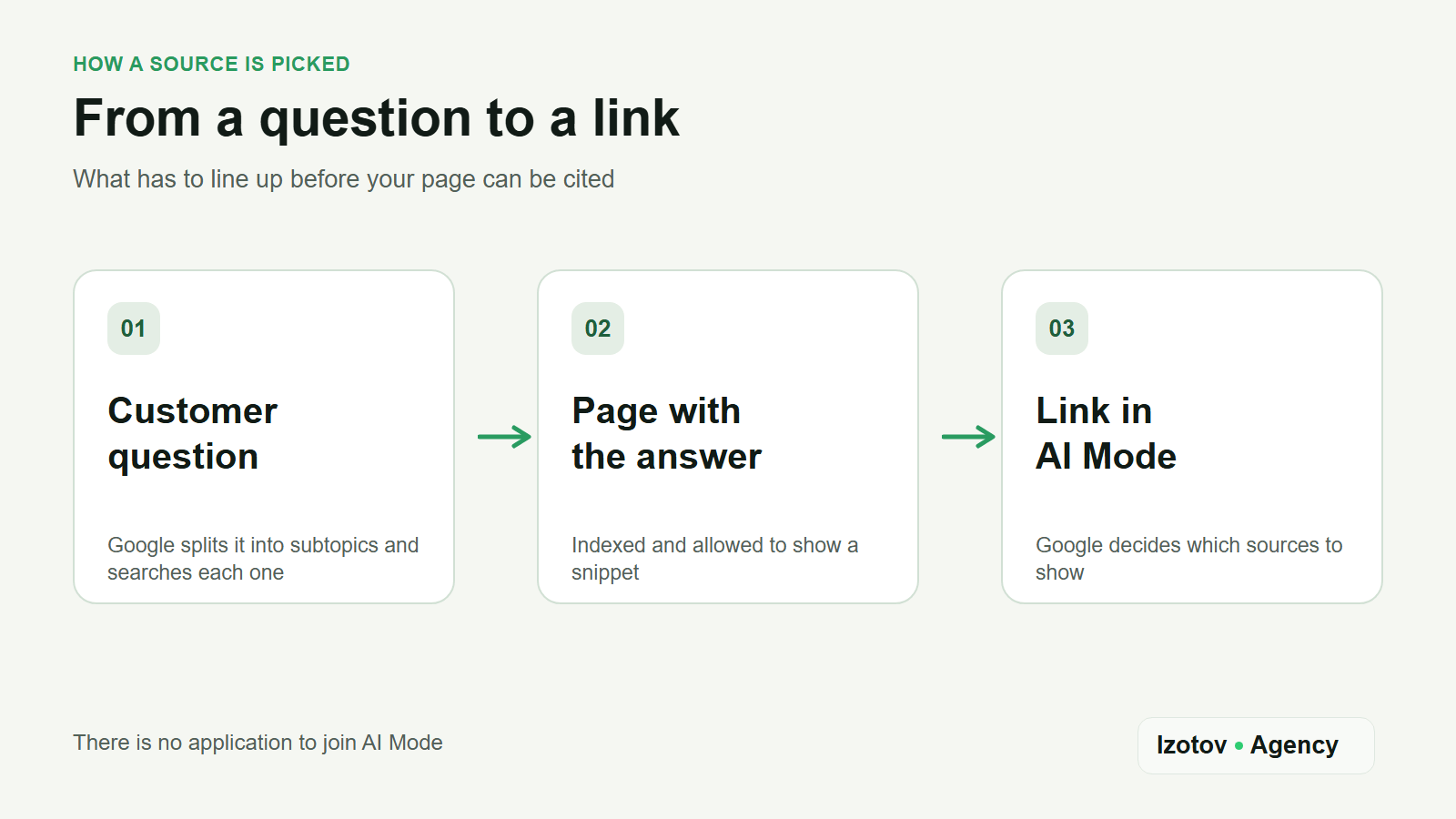
Figure 1. From a customer question to a link in AI Mode
First check that the page is allowed in the answer
Optimizing a commercial site for AI search starts with plain search accessibility. Google's documentation names two basic conditions for a link in AI Mode: the URL has to be indexed and eligible to appear in Search with a text snippet. No special markup for AI Mode, no separate "AI file" and no application to Google. Meeting the technical requirements and the best practices still does not promise crawling, indexing or serving.
Take one page that should answer a customer question and run it through the URL Inspection tool in Search Console:
- Googlebot receives the page itself, not a server error or a redirect to a different address.
- Your
robots.txtrules, thenoindexmeta tag and the snippet controls (nosnippet,data-nosnippet,max-snippet) do not work against your goal. - The meaningful information is on the page as ordinary text: an image or a script does not stand in for it.
- Internal links point to the page, so an important article is not cut off from the rest of the site.
Google puts your hosting in the same list of basics: crawling has to be allowed in robots.txt and by any CDN or hosting infrastructure in front of it. A bot rule at the edge can keep Googlebot out while the file itself looks fine. When dozens of pages are involved and the causes differ, checking them one at a time takes too long: that work belongs to technical GEO/AEO optimization across the whole site.
Do not confuse controlling AI Mode with the Google-Extended token. Per Google's documentation, crawling for Search and its AI features follows the rules for Googlebot, while Google-Extended applies to other Google products. Before you change any disallow rule, find out what the current rule is for and who put it there. How to read those records and match them against server logs is in my piece on checking AI crawlers.
Make the page useful for one specific question
Technical access opens the door; it does not write the answer. Pick one customer scenario and match it to a URL: the intent behind the query also suggests the page format. For a question about choosing a finish, the page has to explain which materials suit it, which conditions drive the choice, how to look after them and where to see the specifications. If the company only offers certain options, say so plainly. Do not give a product properties that your own data does not confirm.
Check the page against four questions:
- Is the answer clear near the top, without a long introduction about the company?
- Is there data behind the advice: specifications, conditions of use, limits and, where it matters, the date it was updated?
- Can a visitor compare real options and move on to the next step?
- Do the article, the product or service pages and the rest of the site agree with each other?
Google has no separate set of content requirements for AI Mode: it recommends the same SEO fundamentals and content made for people. Clear headings, a table where there is a real comparison and links to primary sources help the reader; they are not a ticket into the answer. Structured data has to match what is visible on the page, and Google asks for no special schema for AI Mode. Its list of basics also names Merchant Center and Business Profile data, so for shops and local businesses those feeds are part of the same job.
How to measure impressions and clicks
Search Console has a dedicated report for generative AI features in Search. Google announced that as of 31 August 2026 the data is available to sites worldwide. The report shows impressions of your links in AI Overviews and AI Mode together, broken down by pages, countries, devices and dates. You cannot isolate AI Mode in it, and it carries no clicks. Google Discover has its own generative report, and Search Labs experiments are left out of both.
Four rules shape the numbers:
- An impression is tied to the canonical URL of the page, not to the duplicate the person arrived through.
- Dates follow Pacific Time, and the same 1,000-row table limit applies as in the ordinary Performance report.
- A follow-up question inside AI Mode counts as a new query, so one long conversation produces several impressions in a row.
- A search type filter separates text queries from multimodal ones: searches that start from an image, Google Lens, Circle to Search or an image search in Chrome.
Clicks and overall search traffic from AI features sit in the standard Performance report, under the "Web" search type. A click on an external link in AI Mode is counted there as an ordinary click from Search. There is no "AI Mode" row in that report, so you cannot use it to credit a change to one edit or one answer format.
| What you look at | Where | What you see |
|---|---|---|
| Impressions in AI features | Generative AI performance report in Search Console | Pages, countries, devices, dates. AI Overviews and AI Mode together, no clicks |
| Clicks from Search | Performance report, "Web" search type | Clicks, impressions and position across all results, AI features included |
| Actions on the site | GA4 or your own analytics | What the person did after the click: an enquiry, a call, a cart |
How to separate visits from AI assistants and tie them to what people do on the site is a topic of its own: tracking ChatGPT traffic in GA4. Google also says that clicks coming from results pages with AI Overviews tend to be higher quality, with people spending more time on the site. That is Google's own measurement across the web, not something your reports confirm, so treat it as a reason to look at behavior yourself rather than as a number to quote.
Google is not the only generative surface worth watching. If Bing matters to your audience, Bing Webmaster Tools has an AI Performance report of its own for Microsoft Copilot and AI summaries in Bing; what it shows and how to read it is in my article on checking brand visibility in AI.
If you cannot see the generative AI report at all, Google's help names two reasons: the site has had too few impressions in those features, or it has been excluded from them by a snippet control. An empty report on its own says nothing about an error on the page.
For a working check, record the starting state of the page, the date of the edit and the group of questions. After a while, compare impressions for the URL in the generative report, total clicks for the URL in web search and the target actions on the site. I keep examples of AI Mode answers with links and dates, but one manual search does not replace the report: answers depend on how the question is worded and change over time.
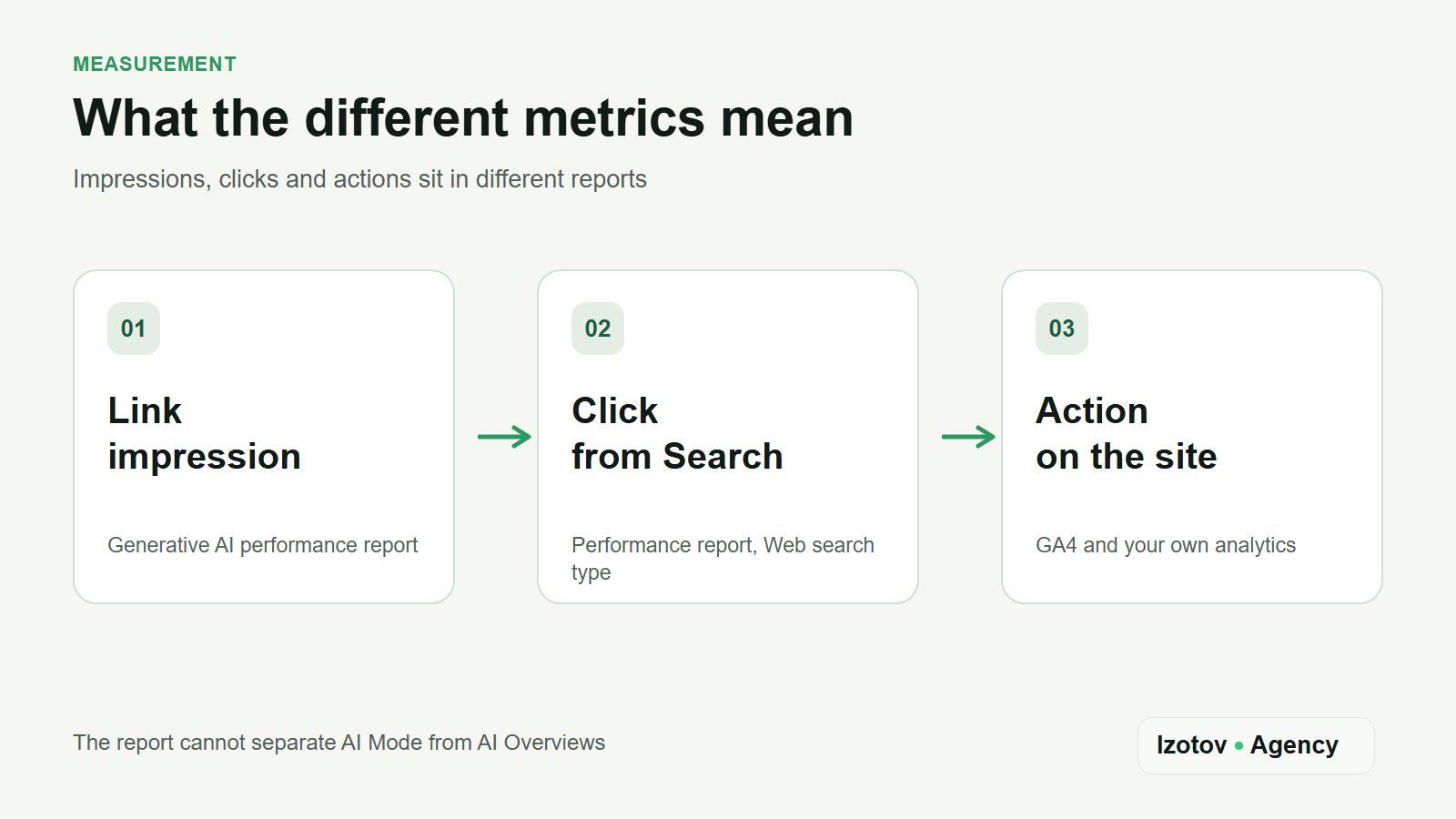
Figure 2. Impressions, clicks and on-site actions are counted in different reports
If there is no link to your site
Start with a cause you can actually check.
- The URL is not indexed. Sort out access and indexing first: until then the content makes no difference.
- The page is in Search but offers general marketing copy instead of an answer. Rework the content around the specific question.
- The page is useful, yet for this scenario the system shows other sites. Compare which questions and which evidence the source pages cover, and find the gaps in yours.
- The generative AI report is empty. Check the snippet controls and remember the impressions threshold.
Copying a competitor's page will not help here: look for the answer that is missing from yours.
The absence of a link in one answer does not prove the site is excluded from AI Mode. The reverse holds too: seeing your URL among the sources does not mean more enquiries. For the next step, pick one specific pair of customer question and page, fix the gap you found, and watch visibility and visitor behavior together. A date for the link to appear is not something to promise, to yourself or to a client.
If the pages already exist but the customer question goes unanswered, book page optimization for AI search. I pick the priority URLs, work through the questions and wording for each topic, put the direct answer at the top of the page, add terms, prices and comparisons, and re-check the result against the same questions after publishing. You get the reworked pages and a list of what changed. Whether the link shows up in AI Mode stays with the search engine.
Sources
- AI features and your website, Google Search Central.
- Introducing Search Generative AI performance reports in Search Console, Google Search Central Blog, June 2026.
- Generative AI performance report (Search), Search Console Help.
- Performance report (Search results), Search Console Help.
- Get AI-powered responses with AI Mode in Google Search, Google Search Help.
- AI Performance report, Bing Webmaster Tools Help.