
Two keywords can share the same words and still need different pages. Someone searching for "keyword research" may want the definition, a how-to guide or someone to do the work for them. If one landing page tries to serve all three, you get a compromise: the guide gets in the way of the purchase, and the sales block can't replace a proper explanation.
Search intent lets you settle this before anyone writes a word. Work out what the person wants to do after the search, look at which formats dominate the results, and only then choose the page. No single word in a query gives a definite answer, so the final call rests on several signals together.
What is search intent?
Search intent is the job a person wants done when they type a query. They may want an explanation, a comparison or be ready to buy. For SEO, what counts is the result they expect: what they should find on the page so they don't have to go back to the results for the missing piece.
The difference between a topic and an intent is easy to see with keyword research itself. The topic is the same. "How to do keyword research" calls for a guide. "Keyword research pricing" calls for service terms. "Keyword research tool" may mean the person is choosing software. Group these phrases just because they share words, and you risk picking the wrong page type and content.
Intent matters when you plan the site structure and cluster keywords. It is worth coming back to when you edit a published page that gets impressions for unexpected queries. The right format won't save a weak page, though: you still have to answer the reader's question fully and clearly.
What types of search intent are there?
In practice it helps to tell five kinds apart. Search engines don't have to split queries this way: one query can combine several goals, and how it is read depends on context and on the results.
| Intent | What the person wants | Format that fits |
|---|---|---|
| Informational | Understand something or do a task themselves | Article, guide, help page |
| Navigational | Reach a known site or a brand's page | Official page, site section |
| Commercial investigation | Compare options before choosing | Review, comparison, category or service page with terms |
| Transactional | Buy, order, sign up or download | Product page, service page, action form |
| Mixed | Get an answer and weigh an offer at the same time | Decided by what dominates the results and by your goals |
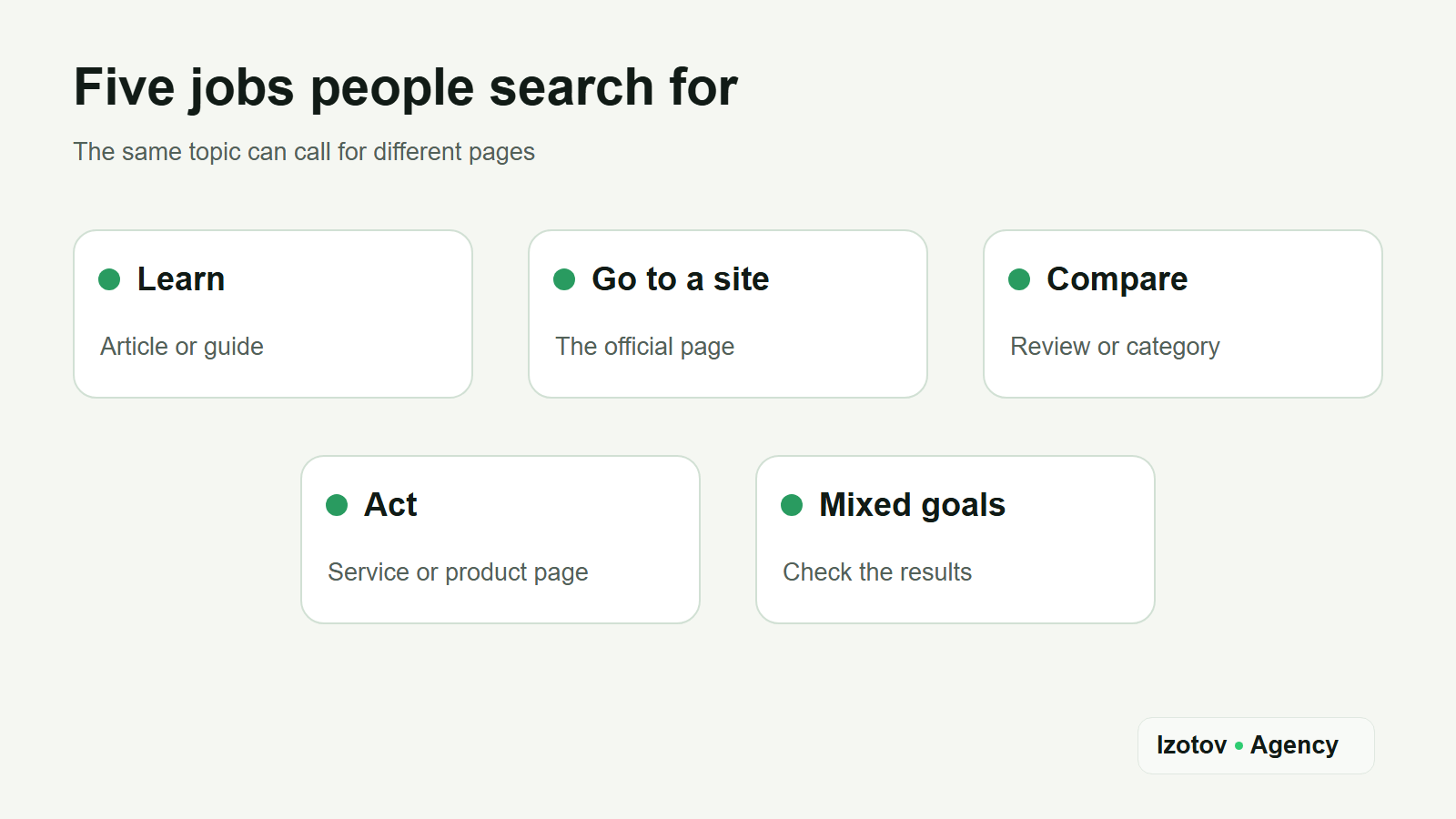
Figure 1. Five jobs people search for and the page formats that fit them
Google describes intent a little differently. Its Search Quality Rater Guidelines, the handbook for the people who evaluate its results, sort queries into Know (find information; Know Simple when a short factual answer will do), Do (accomplish a goal such as buying, downloading or watching), Website (reach a specific site or page) and Visit-in-person (find a place nearby). The raters' scores are used to benchmark result quality and, according to Google, don't directly affect how any page ranks. The guidelines also say that many queries have more than one likely intent and that the line between Know and Do is often blurry.
SEO tools label keywords too. Semrush, for example, marks them as informational, navigational, commercial or transactional, and one keyword can carry more than one label. Its machine-learning model looks at the SERP features shown for the keyword, at words such as "buy", "how" or "address", and at whether the query is branded. The label is quick to read, but it is still a guess about someone else's results page.
Words like "buy", "price" and "order" often point to an action, while "what is" and "how to" point to learning. But "best" doesn't always call for a product page: the person may want an independent comparison. So a word like that is only a hypothesis to check against the results.
How do you identify search intent from the results?
Start with the wording, then check it in Google, and in Bing if Bing matters to your audience, under conditions close to your audience's. Record the location, language, device and date: results change over time. Note ads, the local pack, videos, People also ask and AI Overviews separately from the organic pages. They help you understand the job, but keep them out of your review of the ten organic results.
These features are signals in their own right. A local pack points to people who want to visit a place, product listings suggest they are ready to compare or buy, and People also ask shows the follow-up questions behind an informational query. Google says AI Overviews and AI Mode may use "query fan-out", running several related searches across subtopics to build one answer. So the follow-up questions of an intent belong on the page that serves it.
Step 1. Write down the job you expect
Put it in one plain sentence: "wants to build a keyword list themselves" or "is looking for someone to do the research". If one phrase supports two plausible jobs, mark the uncertainty right away. Don't assign a page type because of a single word.
Step 2. Look at the types of results
For the top organic results, record the URL, the title and the page type: article, category, service, product page, tool, video. Open several pages to make sure the title isn't misleading. Then compare the dominant formats and see what a visitor gets on the first screen of each page.
If step-by-step guides dominate the results for "how to do keyword research", a new guide has a clear job. If another query's results are mostly service pages with prices and a contact form, a guide is unlikely to stand in for a commercial page. This helps you choose the format, but it doesn't guarantee a ranking.
Step 3. Check refinements and related queries
Autocomplete, People also ask, related searches and the queries in your own data show separate jobs. "For ecommerce", "yourself", "cost" and "example" change what the person expects to find. Don't carry the search volume of a broad keyword over to a refinement. Check each target keyword on its own, and don't make zero-volume or unmeasured phrases primary targets just because they sound natural.
Step 4. Compare your conclusion with your site data
If the page already exists, see which queries it gets impressions and clicks for in the Performance report in Google Search Console and the Search Performance report in Bing Webmaster Tools. Then check the page itself: does the first screen answer the query, is the key action hidden, is another page competing for the same job? Your site data refines the hypothesis, but it doesn't prove that one intent fits every visitor.
On properties with a large volume of queries, Search Console Insights also shows query groups: similar queries, misspellings and rephrasings combined into one group by AI. Google says the groups can change over time and don't affect ranking. They show which broad interests bring people to the site, and each group opens in the Performance report with its individual queries.
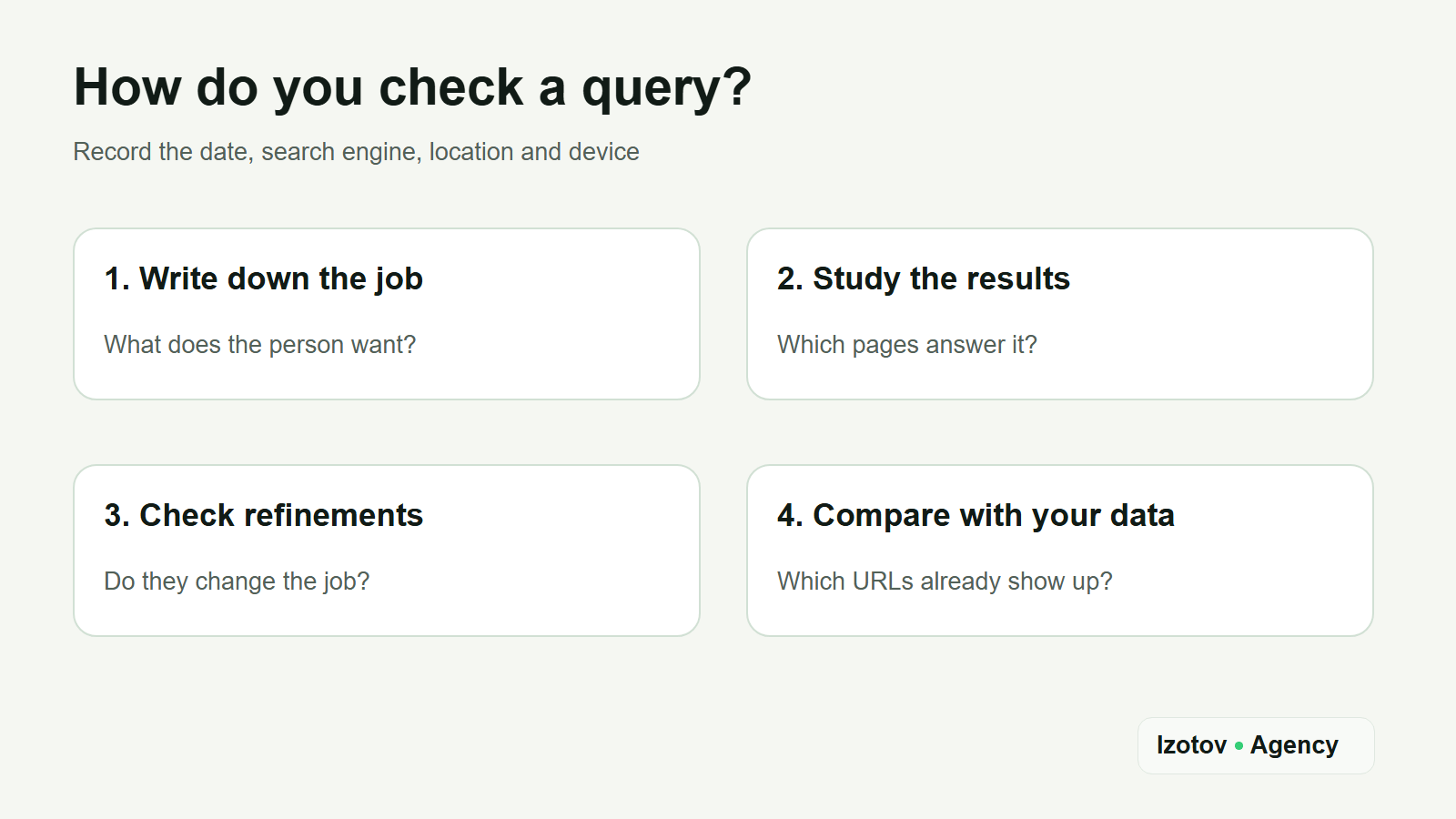
Figure 2. Four steps to check a query against the results and your site data
How do you choose a page type for a query?
First define the main job, then pick the format that handles it best. A guide needs the sequence of steps, examples and common mistakes. A service page needs the scope of work, limits, terms, the result and a clear way to get in touch. A comparison needs selection criteria; a long description of one offer won't do that job.
Ask yourself three questions before you write the brief. What does the visitor want to learn or do in the first few seconds? Which format most often does that job in comparable results? Can your site honestly give that answer on one page? If the answer to the last question is no, don't try to cover the gap with more text.
I cover this topic with an article: people searching for "search intent" want an explanation and a way to check it, not a tool that labels intent at the click of a button. So this page has definitions, an order of analysis and an example of routing queries. The service offer comes after the example as a next step for those who need the whole keyword research job done, and it doesn't replace the guide.
When shouldn't you target two queries with one page?
Similar wording doesn't make queries one cluster. Compare "how to do keyword research" and "keyword research services": the first leads to doing the work yourself, the second to choosing a provider. Put both in one brief, and the writer has to teach and sell in every section.
Look at URL overlap in comparable organic results. When the same pages keep showing up for two queries and solve the same job, targeting both with one page is justified. Low overlap can mean different intents, but that sign alone isn't enough: some results shift with location, date or quirks of the index. Always check the overlap against page types and content.
If the results are mixed, you don't automatically need two pages. Pick the dominant job and check whether one piece can naturally answer the second. For example, an article on choosing an SEO provider can briefly explain the stages of the work. But a full DIY guide and a detailed service description are better kept on separate URLs, joined by a meaningful internal link.
Example: routing keyword research queries
Picture an agency site with a blog and a service page. "What is keyword research" goes to an explainer. "How to do keyword research" needs a step-by-step guide. "Keyword research services" belongs on the service page. "Keyword research for a website" stays under review: without looking at the results and refinements, you can't confidently choose between the article and the commercial page.
The example shows the method and says nothing about any site's actual rankings. In a real project, record the date, search engine, organic results and your decision for each target phrase. Keep a separate note of queries with no reliable signal. That log lets you come back to a disputed cluster if the results change or a new page starts taking impressions from an existing one.
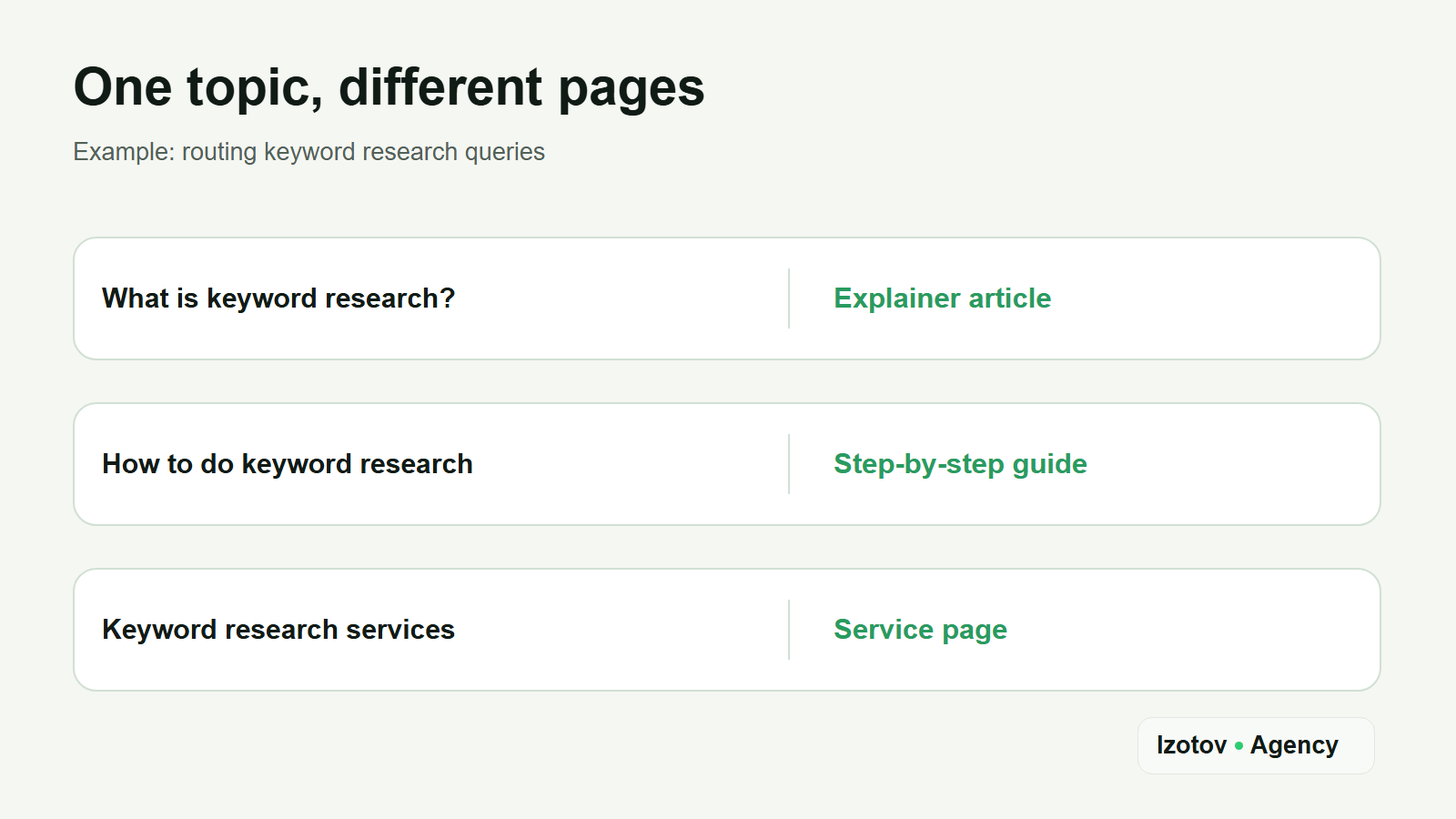
Figure 3. How keyword research queries split between articles and the service page
If you'd rather not collect keywords, check intent and split clusters by hand, book keyword research with Izotov Agency. I'll collect keywords from Google data and SEO databases, check intent against live results, group them into clusters and assign each cluster to an existing or new page. You'll get a page map to plan your site's structure and content, with the disputed groups flagged so you can check them before you publish.
Mistakes that stop a page from doing its job
The first mistake happens at step one: treating a keyword modifier as a diagnosis. "Review" doesn't guarantee informational intent, and "price" doesn't tell you whether the person wants to compare offers or order a specific service. The results page tells you more than any single word.
The second is comparing results that aren't comparable. Mobile and desktop results, different countries or results collected in different months don't make one snapshot. Keep ads, the local pack and AI Overviews apart from the organic pages too. Mix the data, and it is easy to mistake noise for a change in demand.
Even with the right format, the content can let you down. The article is called a guide, but the reader can't find the steps. The service page is full of general talk, but the scope of work is unclear. The match with intent should show on the first screen and in the content; the title alone isn't enough.
How do you check the decision after publishing?
Write down which job the page was built for and which queries belong to it. After indexing, look at which phrases it gets impressions and clicks for, which other URLs on your site show up for the same queries, and whether the snippet people see matches the content. These signals don't replace a look at the results, but they show where the hypothesis needs a second look. When I run SEO for a client, I do this check every sprint: if the data doesn't confirm a hypothesis, the next sprint changes course.
AI answers are starting to get the same treatment. Since June 2026, the AI Performance report in Bing Webmaster Tools, still in preview, sorts the grounding queries behind your citations into categories such as informational, commercial and navigational. I describe what that report does and doesn't show in the guide on checking your brand's visibility in AI.
If the page picks up impressions for a neighboring intent, don't rush to add everything to it. First open the results for those queries and decide whether they need a separate format. Then decide whether to refine the current page, create a new one or change the internal links. Judge by a group of queries over comparable periods: one random position proves nothing.
Intent is useful when it helps you make a concrete decision: which page to create, which queries to combine and what the reader should get right after the click. Put that decision in the brief, and check it against your real site data after publishing.
Sources
- Search Quality Rater Guidelines, section 12.7 "Understanding User Intent", Google, September 2025.
- Search engine testing and evaluation, How Search Works, Google.
- Creating helpful, reliable, people-first content, Google Search Central.
- AI features and your website, Google Search Central.
- Performance report (Search results), Search Console Help.
- Introducing Query groups in Search Console Insights, Google Search Central Blog, October 2025.
- Search Performance, Bing Webmaster Tools Help.
- New AI Visibility Insights in Bing Webmaster Tools: Intents, Topics, Citation Share, Compare, Bing Search Blog, June 2026.
- How is Keyword Intent calculated?, Semrush Knowledge Base.
- What Is Keyword Intent?, Semrush Blog.