
When a site has dozens of pages, its service details, documentation and contacts end up spread across different sections. An llms.txt file gathers links to the important material in one place and briefly explains what is behind each one. That can help an AI agent find its way around, if the agent reads the file at all. The format is still a proposal, not a required web standard, and Google Search says plainly that it does not use llms.txt, in regular results or in its generative AI features.
Below I cover who needs the file, how to build it and what to check once it is published. As a working example I use my own file, /en/llms.txt. It is real and current, but the fact that it is published proves nothing by itself about SEO or AI answers.
What is llms.txt, and when do you need it?
The llms.txt proposal describes a plain text file in Markdown. In it you introduce the project in a few lines and link to the pages an agent should start with. The list helps the agent get past menus, boilerplate and a large number of URLs. The agent still decides whether to read the file and which links to follow, and llms.txt sets no rules for crawling the site.
On a service business site, the file usually makes sense for the main service pages, terms, useful articles and contacts. For documentation with many sections, it can work as a short table of contents. A site with one or two pages gains little from a separate list of links. And if important pages are closed, out of date or contradict each other, deal with the pages first: a new file will not fix what they say. Rewriting them around a direct answer is page optimization for AI search.
Before you create the file, decide who will keep the links current. A service gets renamed, a URL changes, the terms are updated: llms.txt needs the same edit. Otherwise an agent gets a neatly formatted route that is already wrong. So whether to publish depends on how many pages you have and whether someone will maintain the file.
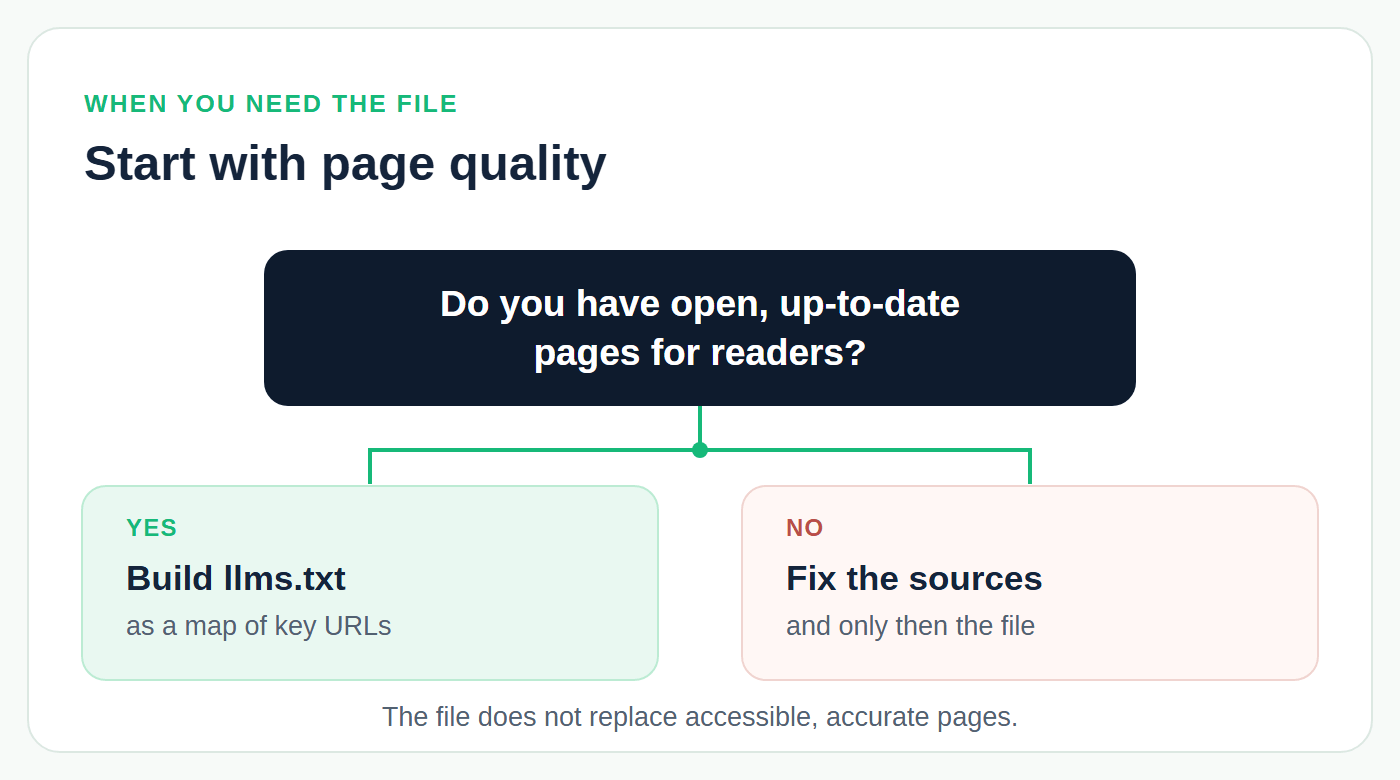
Figure 1. The file does not replace accessible, accurate pages, so the pages come first
How is llms.txt different from robots.txt and sitemap.xml?
The three files are often mentioned together, but each does its own job.
| File | What it does | What it does not do on its own |
|---|---|---|
| llms.txt | Gives short context and a curated set of links to an agent that decides to read it. | Does not control crawling and does not guarantee that the site appears in AI answers. |
| robots.txt | Sets rules for which parts of the site crawlers may access. | Does not explain your services or what each page is for. |
| sitemap.xml | Gives search engines a list of URLs and information about them. | Does not replace a curated list of material with explanations. |
Google's documentation describes robots.txt as the file its crawlers read to learn which parts of a site may be crawled, and a sitemap as a way to help search engines discover URLs. A URL in the sitemap is still not guaranteed to be crawled and indexed. In llms.txt, you choose the material that best represents the project and can explain why each link is worth opening.
The proposal itself draws the same line: robots.txt tells automated tools what access is acceptable, while llms.txt is read on demand, when an agent needs information to help a user. There is no standard robots.txt directive for llms.txt. You can mention the file there if you like, but that mention will not work as a universal instruction for Google or AI crawlers. Access to pages is set by crawling rules and your server, and llms.txt helps whoever reads it find the right source.
What does the llms.txt format require?
The v2 proposal places the file at the site root, as /llms.txt, or at a subpath, such as /docs/llms.txt. A file in a subpath covers the pages under that path. If you want to present the whole site, start with the root address: it is easy to find and easy to check.
Only one element is required: an H1 with the name of the project or site. After it you can add a short summary in a Markdown blockquote, explanatory text of any kind except headings, and H2 sections with lists of links. Each item in such a list is an ordinary Markdown link, optionally followed by a colon and a note. The spec accepts a file that is just a heading, but for navigation it gives almost nothing.
Being valid and being useful are different things here. You can put hundreds of links into valid Markdown and still end up with an awkward catalog. Pick public, current pages, name the sections clearly and check that the file does not expose internal addresses or private documents.
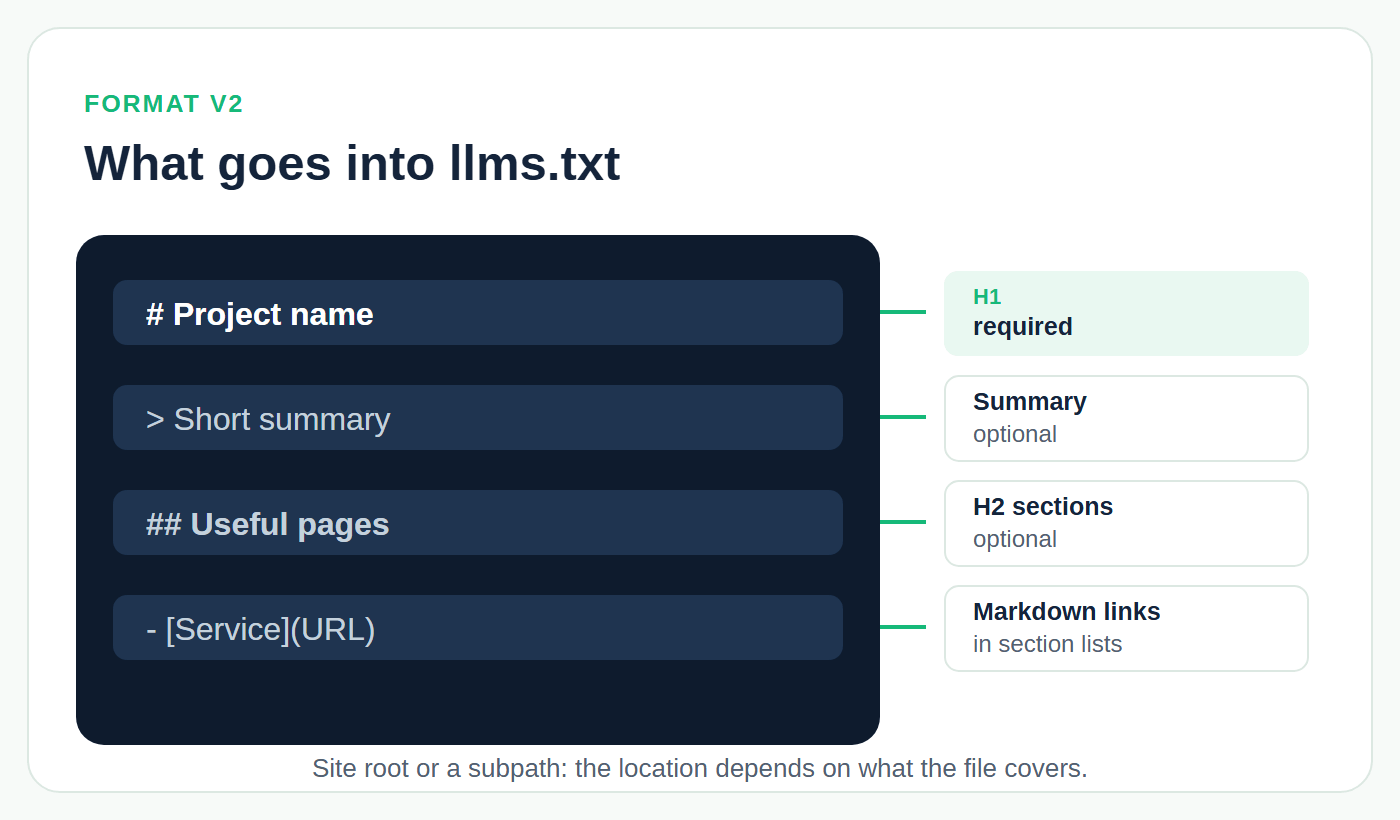
Figure 2. What goes into llms.txt, in the order the proposal sets
What changed in v2?
The v2 revision, published in August 2026, defines what a file in a subpath means. v1 already allowed such files but did not say what they covered. Now a file covers the pages under its path, and when more than one file applies, the most specific one wins. v2 also allows two forms of the Markdown version of a page: .md appended to the URL (page.html.md) or the extension replaced with .md (page.md). To connect a regular page with its Markdown version, the proposal recommends rel="alternate" type="text/markdown", and to point to the llms.txt that covers the page, rel="describedby". Both can go in the HTML as <link> elements or in an HTTP Link header.
The Optional section is still allowed for secondary links, but it no longer has a special technical role. In v1 it told context-building tools what to leave out, and v2 dropped those tools from the proposal. Use it only if you really need to set secondary material apart. Google Search needs neither a Markdown copy of each page nor these rel links for a page to appear in its AI features.
What does a real llms.txt look like?
Here is the start of my English file, cut down to the first three services and part of the Pages section. It belongs to a small consulting practice that sells a handful of services, so it is a fair example for a services site.
1# Izotov Agency2 3> Generative engine optimization (GEO): visibility of a brand in ChatGPT, Google AI Overviews and AI Mode, Gemini, Perplexity, Microsoft Copilot, Claude and DeepSeek. Audits, technical fixes, extractable content and monthly monitoring. Prices in USD.4 5Updated: 2026-09-21. Russian version: https://izotov.agency/llms.txt6 7Invoices in USD. Pay by card (Visa/Mastercard), SWIFT transfer or Wise. One-time work is prepaid; monthly plans are billed at the start of each month.8 9## Services10 11- [AI visibility audit](https://izotov.agency/en/services/ai-visibility-audit): $490. Extended, with competitor benchmark – $790. Where you appear across up to 7 AI systems, who gets recommended instead of you, and a 90-day action plan.12- [Technical GEO](https://izotov.agency/en/services/technical-geo): from $490. With implementation on your site – from $990. Crawler access, rendering, schema markup, llms.txt and machine-readable facts – found and fixed.13- [Page optimization for AI search](https://izotov.agency/en/services/page-optimization-for-ai-search): from $90. Per page; 10 pages – $790. Existing pages reworked into extractable answers: structure, facts, FAQ blocks, markup.14 15## Pages16 17- [Services and prices](https://izotov.agency/en/services)18- [Monthly plans and comparison](https://izotov.agency/en/pricing)19- [Case studies](https://izotov.agency/en/case-studies)20- [Contact](https://izotov.agency/en/contact)
The heading names the project, the summary gives context, and the sections group pages by task. A note after a link helps when the link text alone does not say what the reader will find. Do not promise anything in a note that the page itself does not say. If your service terms are not on the site yet, publish or correct the source page first.
My file lists prices, which is safe only because the site builds llms.txt from the same data as the service pages, so the two cannot drift apart. If you maintain the file by hand, link to your pricing page instead of copying the amounts.
The full file also has sections for monthly plans, case studies, blog posts, the about page and contacts, plus the date of the last update, and the server returns it as plain text (text/plain; charset=utf-8). It also shows the subpath rule at work: the root /llms.txt describes the Russian version of the site, and /en/llms.txt covers the English pages under /en/. What the file cannot show is whether any agent has drawn conclusions from it.
How do you create llms.txt and add it to your site?
Start by writing down the questions a person or an agent brings to the site: what the business does, which services it offers, where the terms and contacts are. Then build a short route out of the pages that answer them.
- Pick the pages. Check that each URL is public, has real content and is current. Your sitemap helps you find candidates, but do not copy every address from it.
- Describe the project. One or two specific sentences are enough. Say what you do and for whom, and do not swap the explanation for an ad slogan.
- Write the Markdown. Start with the H1, then add the summary and the H2 sections you need. Give links clear names and add notes only where they help someone choose a page.
- Save llms.txt in UTF-8. Put a site-wide file at the root; a file for one section can live in that section's subpath. How you upload it depends on your CMS, hosting and access rights.
- Open the published address. For a root file, that is a URL like https://example.com/llms.txt. Check what it shows without signing in before you point to it anywhere else.
Which pages should you include?
On a service site, start with the URLs you would send a new client to for an answer. Usually that means the main services, current terms, the page about you or your company, case studies with substance and contacts. Add an article when it covers an important question in your field; one matching keyword is not a reason. Check that each link name matches the page: a link called "Pricing" should not lead to a general sales page with no prices on it.
Limited-time offers, internal search results, duplicate pages and anything behind a login are poor candidates. If prices change often, it is safer to link to a maintained pricing page than to copy amounts into llms.txt and update them in two places. A large site may have separate files for its documentation or another section. Each file then needs a clear scope, or the lists will start to contradict each other.
The format sets no standard number of links. A few precise links do more than a whole catalog without explanations. After a URL, a service or an important description changes, update the file and check the links again. The author or editor checks the content, and whoever runs the website places the file and checks the server response. If no one owns this, the table of contents goes stale quickly.
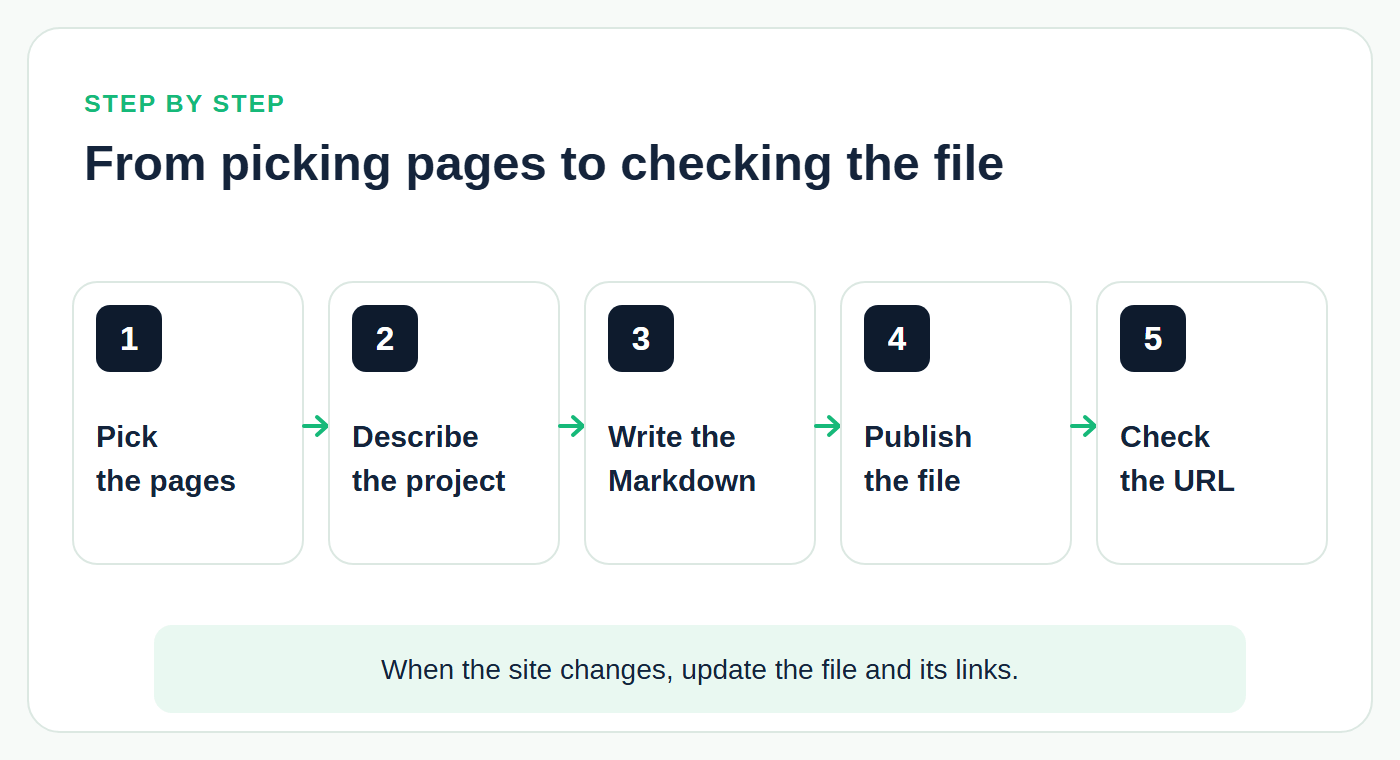
Figure 3. From picking pages to checking the published file
How do you check the published file?
This check covers publication and the quality of the route, not search visibility. Open the public URL without signing in and compare the text with your source. A server can return a 200 and still show an HTML page instead of the file.
- Address. Open /llms.txt in a browser while signed out. You should see text, not an error page, a login form or your homepage.
- Server response. Check the GET request in your browser's developer tools or with an HTTP tool, for example
curl -i https://example.com/llms.txt. A correctly published file normally returns 200, but that code alone does not confirm the content is right. - Structure. Find the H1 and check the Markdown links. If a generator built the file, compare it with the proposal: the tool may add extra elements or follow the older version.
- Links. Open links from every section. Make sure they lead to the pages they promise, do not require a login and contain no outdated information.
- Upkeep. Write down who edits the file after changes to the site. At the next check, look at both the date and the actual set of links.
The proposal also suggests a practical test: ask an agent questions about your content and give it only your llms.txt as a starting point. It shows whether the route makes sense. It does not show what any AI system will do with your site in real answers.
A validator can catch some technical errors. You still have to check by hand which pages you chose and whether the notes match them. Even a perfect server response does not prove that a search engine raised your rankings or that an AI agent used the file in an answer.
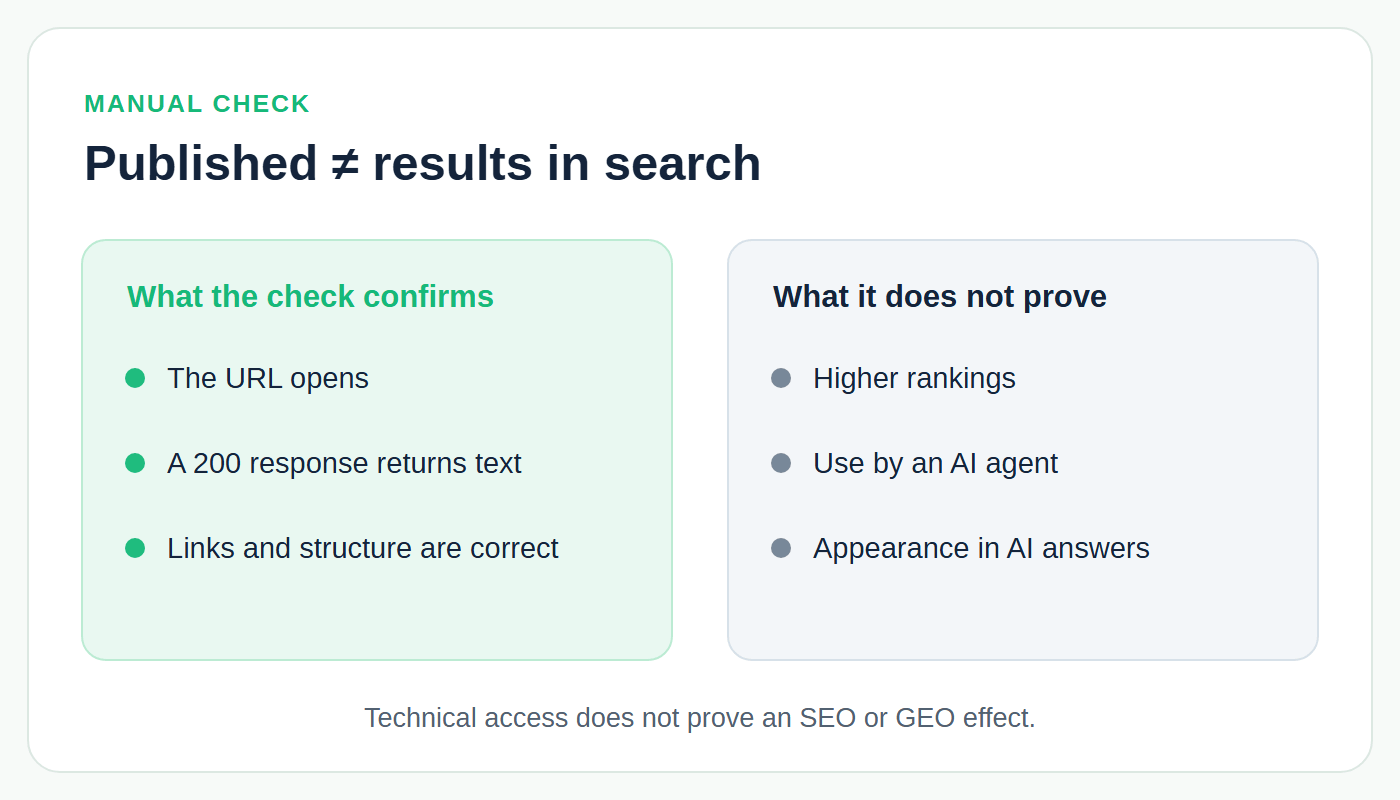
Figure 4. A successful check confirms publication, not results in search
Does llms.txt help SEO and GEO?
Google is explicit: Google Search does not use llms.txt, in regular results or in its generative AI features. You do not need the file to appear in those features, and creating it neither helps nor hurts your visibility in Google. Google's advice is to keep working on your pages' technical structure and content, following ordinary SEO practice. Which conditions it does name for a link in a generative answer are in my piece on your site in Google AI Mode.
Google's position does not settle the question for other systems. The llms.txt proposal describes a situation in which an agent looks for information about a site and may follow links from the file. That is a possibility, not evidence of results in ChatGPT, Perplexity, Claude or any other AI system. A request for llms.txt in your server logs confirms that something fetched the file, not that its content reached an answer.
So the practical value of the file is limited and clear: a convenient table of contents for the systems that choose to use it. There is no basis for promising that it gets you into AI answers. If your pages are hard to reach or lack clear answers, work on them first. I cover that in how to get your website cited by ChatGPT.
Frequently asked questions
Do I need an llms-full.txt file?
No. The v2 proposal does not require any companion file. A large Markdown version of your content can be useful for some projects, but it has to be maintained too. Start with a meaningful llms.txt and working pages behind its links.
Do I need a generator or a validator?
The proposal's site lists documentation platforms, WordPress plugins and site builders that generate llms.txt automatically, and such tools are handy for a first draft and a technical check. After generating, still review the selected pages, addresses and wording. A validator cannot confirm that the file affected AI answers.
Should I add llms.txt to robots.txt?
The format does not require it. robots.txt controls crawler access, while llms.txt offers context and links to whoever reads it. To manage access for specific AI crawlers, read each crawler's documentation and check your server and CDN settings separately.
When should you come back to the file?
Review llms.txt whenever the site structure, services, contacts or key material change. Fix the summary and the links, then open the public address again. That keeps the file useful even though it does nothing for your Google rankings.
If the check turns up closed pages or thin content, fix the source first. To hand this off, book technical GEO with Izotov Agency. I find and fix the reasons search and AI systems can't get your content: blocked crawlers, text that only appears after JavaScript, CDN rules, markup that doesn't match the page. An llms.txt draft is part of the deliverables, as a small addition to those fixes.
Sources
- Jeremy Howard. The /llms.txt file, v2 (llmstxt.org)
- llmstxt.org. Changes: v2, August 2026
- Google Search Central. Optimizing your website for generative AI features on Google Search
- Google. How Google interprets the robots.txt specification
- Google Search Central. Learn about sitemaps
- Izotov Agency. The English llms.txt of this site